Nine questions, one program
Goal, body focus, experience, challenge level, injuries, equipment, days per week, session length, plan length. Four to twelve weeks, one to seven days a week, sessions from five minutes to two hours.
A plan that fits your life, sessions the app runs for you, and a record of what you actually did. Here is the whole thing.
01
Goal, body focus, experience, challenge level, injuries, equipment, days per week, session length, plan length. Four to twelve weeks, one to seven days a week, sessions from five minutes to two hours.
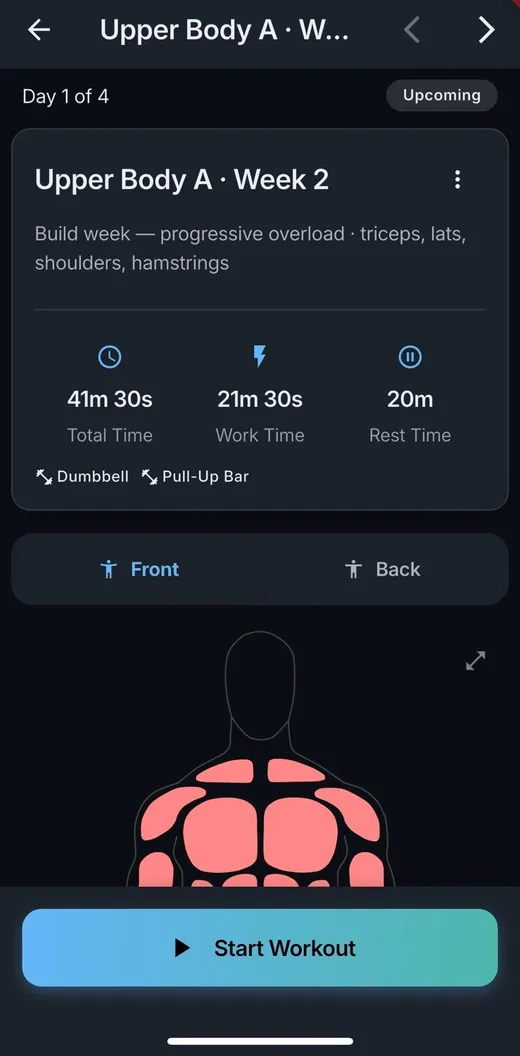
The preview runs the real engine, so the split, the recovery weeks and the weekly sets per muscle group you see are the ones you get.
Swap an exercise, change the sets, move the sliders on one recurring day, and every future occurrence rebuilds around it. Recovery weeks stay scaled down. Workouts you already finished are left alone.
Export the whole program as a landscape log sheet — one page per weekly slot, phases labelled, blank cells for writing in what you lifted.
Complete a program and you get the whole picture: workouts done, weeks trained, total time, consistency, average effort, streak, and the body areas you covered. Then it moves to your history and you start the next one.
02
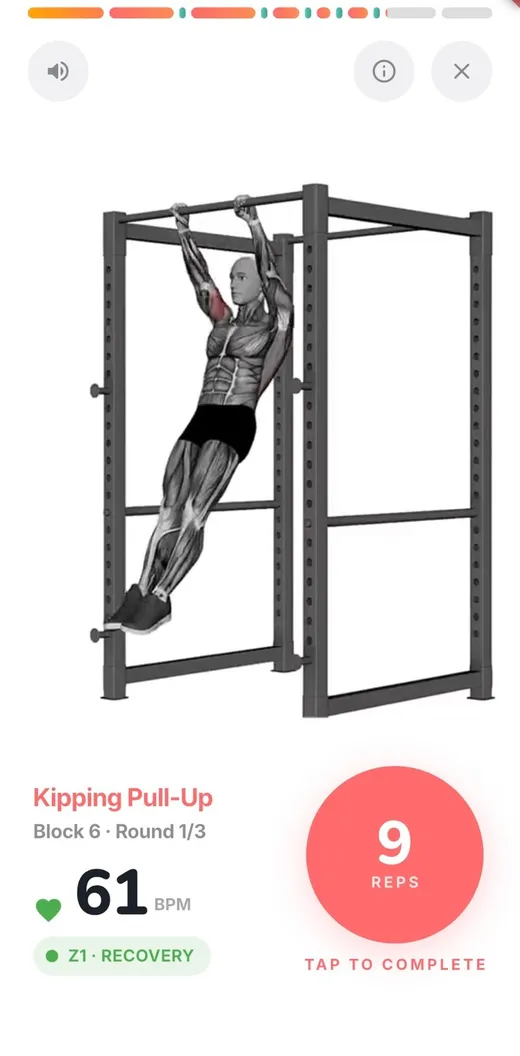
One movement fills the screen at a time, with a demonstration video behind the countdown and the next exercise already loading.
The screen stays awake while you look at it and the timer keeps going when you don't — cues keep firing with the app in the background and the phone locked.
Countdown beeps at three or five seconds, spoken numbers, and an optional voice that reads the exercise instructions when a new movement starts. Toggle any of it mid-session.
After each block, confirm reps and weight — pre-filled with what was prescribed, so usually you just tap. Rate the effort on a five-point scale. Or switch per-set logging off and do it all at the end.
Stop halfway and the session is still recorded as what you did. Progress is never discarded quietly.
03
Pair any Bluetooth heart-rate monitor. None of this is required — all of it sharpens the plan.
Your current heart rate and zone sit on screen while you train. Lose the connection and it reconnects in the background instead of ending the session.
Five zones — Recovery, Fat Burn, Cardio, Peak and Maximum — derived from your age, with real ranges in beats per minute.
Time in each zone, training load, heart-rate recovery over the first minute, cardiovascular drift, a cardio stress score, and calories burned. Every metric has a plain-English explainer built in.
Circuits and intervals carry a target heart-rate zone that climbs as the program builds and drops on recovery weeks. Without a strap, the same guidance is phrased around the talk test.
04
Name it, add a warm-up and cool-down, then stack blocks: intervals, circuits or straight sets. Drag to reorder. Total, work and rest time update as you go.
A short six-step wizard generates a single workout for you to edit, when you want a starting point rather than a blank page.
Any saved workout can carry its own weekdays and time, with its own weekly reminder, separate from your plan.
05
For when you already know what you are doing and just need something to count.
Work, rest, how many rounds. One movement on repeat, or a stack of different ones across the work phases.
An ordered run of work and rest steps, repeated for as many rounds as you want.
Sets, reps per set, and rest in between. Advance each set with a tap.
Nothing is saved unless you want it to be. Finish one you liked and turn it into a saved workout from the summary screen.
06
Sessions grouped by month, going back six months. Open any one for the full breakdown.
Log your weight and see it charted over a week, a month, three months, or the whole time you have been training. Kilograms or pounds.
07
Sign in with your email and a six-digit code. There is no password to choose, forget or reset.
Answer the questions and see your plan without typing an email address. Add one later and everything you built is already there.
Kilograms or pounds, light or dark, sound and voice on or off, the equipment you own, and reminders at a time that suits you.
Fitness Flow is finishing up for iOS and Android. Confirm your email and we will tell you the day it lands. Nothing else after that.